Download LMC 8.4 for Realme Phones – Features, Installation Guide
Smartphone cameras have improved a lot in recent years. But sometimes, stock camera apps do not use the full potential of your phone’s camera. This is where the LMC 8.4 Camera App comes in. LMC 8.4 is a powerful camera app that helps you take amazing photos and videos on your Realme phone.
In this guide, we will explain everything about LMC 8.4 – its features, how to download it, the supported devices, installation steps, and tips to use it. Whether you are new to photography or love taking photos with your phone, this guide will help you make the most of your Realme camera.
What is LMC 8.4 Camera App?
LMC 8.4 Camera App is a modified version of Google Camera, also called GCam. It is designed to improve the camera performance of Android phones. Realme phones already have good cameras, but LMC 8.4 takes them to the next level.
The app uses advanced algorithms to improve photo quality, color accuracy, low-light performance, and dynamic range. It also allows manual controls for users who want more control over their photography.
With LMC 8.4, your phone can take professional-looking photos without needing a DSLR. You can capture bright colors, sharp details, and stunning night shots with ease.
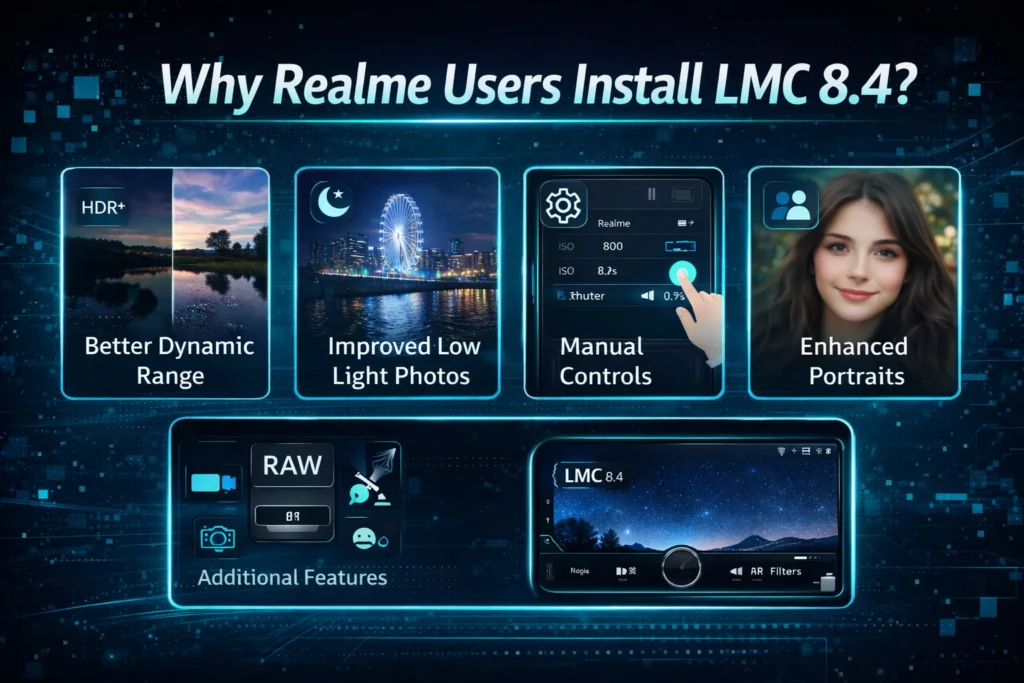
Why Realme Users Install LMC 8.4?
Realme phones are known for good performance and affordable pricing. But many users find that the stock camera app is simple and does not have advanced features. LMC 8.4 is popular among Realme users because it adds several benefits:
Using LMC 8.4, Realme users can enjoy photography features that are not available in the stock camera app. Download LMC 8.4 APK on Realme phone now and get access to all these advance features.
Top Camera Features of LMC 8.4
LMC 8.4 comes with many useful features. Let’s look at the most important ones:
Night Sight Photography
Night Sight helps you take clear photos in low light. Dark rooms, streets at night, or sunset scenes become bright and detailed. The app uses smart algorithms to reduce noise and enhance details.
Astrophotography Mode
Astrophotography allows you to capture the night sky. Stars, planets, and the Milky Way appear clear. If you love taking night sky photos, this mode is perfect for Realme users.
HDR+ Enhanced
HDR+ enhances colors and balances light in photos. Bright areas are not too bright, and dark areas show more details. Your pictures look natural and vibrant.
Portrait Mode
Portrait mode creates a blurred background while keeping the subject sharp. This gives a professional look to selfies and photos of people.
RAW Image Support
RAW support allows saving photos in uncompressed format. This is useful if you want to edit your photos later. You get more control over brightness, colors, and sharpness.
Video Stabilization
Video stabilization makes videos smoother. Hand movements or shaking are reduced, making your videos look professional.
Smartburst Mode
Smartburst captures multiple photos in a short time. You can select the best photo from the series. It is useful for action shots or moving subjects.
Motion Photos
Motion photos turn your still images into short videos. This adds life to your photo gallery and creates interesting visual stories.
AR Filters
AR filters add fun effects to photos. You can decorate your pictures with virtual objects or effects, making them creative and unique.
Multi-Lens Support
LMC 8.4 works with multiple camera lenses. You can switch between wide-angle, ultra-wide, and telephoto lenses without losing quality. The app optimizes each lens for best results.
Google Lens Integration
Google Lens helps you search visually. You can identify objects, text, or landmarks directly from your camera. LMC 8.4 makes this feature easy and fast to use.
Supported Realme Devices
LMC 8.4 works on most Realme phones. Here’s a list of supported devices:
Realme Number Series
Realme Narzo Series
Realme C Series
If your phone is not on this list, it may still work, but features might be limited.
Download LMC 8.4 for Realme Phones
You can download the latest version of LMC 8.4 for your Realme phone using the links below. Make sure your phone is compatible and running Android 11 or higher.
|
Version |
File Size |
Android Support |
Download |
|---|---|---|---|
|
LMC 8.4 R18 |
150MB |
Android 11+ |
|
|
LMC 8.4 R17 |
148MB |
Android 10+ |
Always download APK files from trusted sources to avoid security risks.
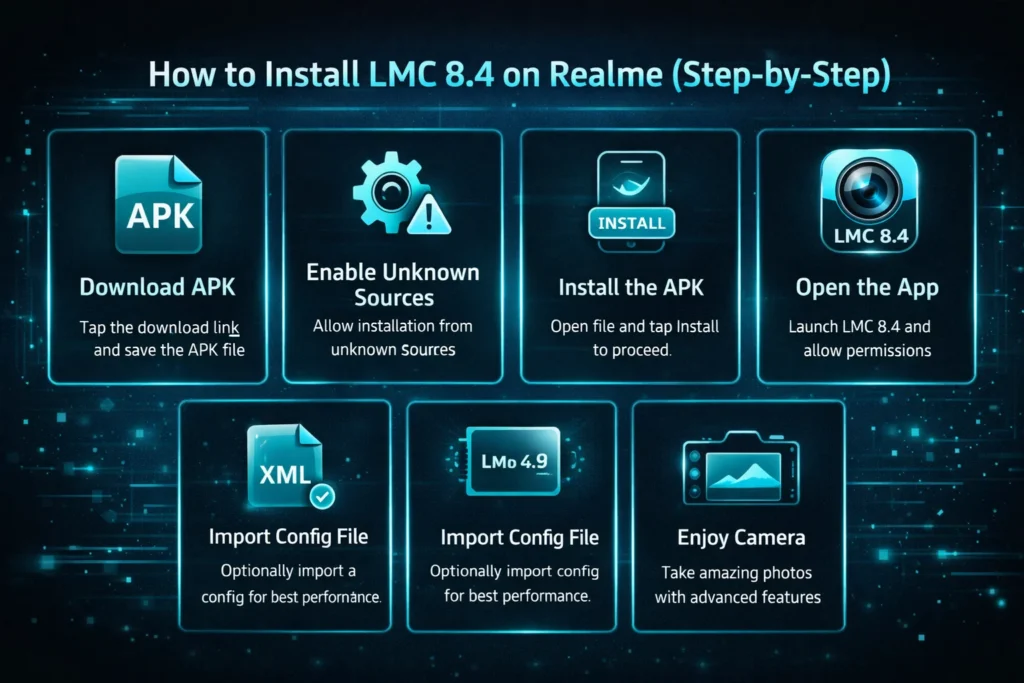
How to Install LMC 8.4 on Realme (Step-by-Step)
Installing LMC 8.4 is easy. Follow these simple steps:
Step 1 – Download the APK
Tap the download link for your phone and save the APK file.
Step 2 – Enable Unknown Sources
Go to Settings > Apps & Notifications > Install Unknown Apps. Enable Allow from this source for Chrome, Firefox, or your file manager.
Step 3 – Install the APK
Open the downloaded file and tap Install. Wait for the installation to complete.
Step 4 – Open the App
Launch the LMC 8.4 app and grant the necessary permissions.
Step 5 – Import Config File (Optional)
Some devices need a configuration file for optimal performance. Import it from the app’s settings.
Step 6 – Enjoy Your Camera
Start taking amazing photos with advanced features.
Best LMC 8.4 Settings for Realme Phones
To get the best results, use these recommended settings:
LMC 8.4 vs Realme Stock Camera
Here is a simple comparison:
|
Feature |
LMC 8.4 |
Stock Camera |
|---|---|---|
|
Night Photography |
Excellent |
Average |
|
HDR Processing |
Advanced |
Basic |
|
Manual Controls |
Yes |
Limited |
|
RAW Support |
Yes |
No |
|
Astrophotography |
Yes |
No |
|
Video Stabilization |
Smooth |
Moderate |
LMC 8.4 provides more features, better quality, and advanced controls. The stock camera is easier for beginners but lacks professional options.
Common Problems and Fixes
App Crashing
Camera Not Opening
Lens Not Working
Night Sight Not Working
Is LMC 8.4 Safe to Use?
LMC 8.4 is unofficial. It is not available on the Play Store, so only download from trusted websites. Using a modified APK carries some risk. Avoid installing from unknown sources to prevent malware.
Tips for safety:
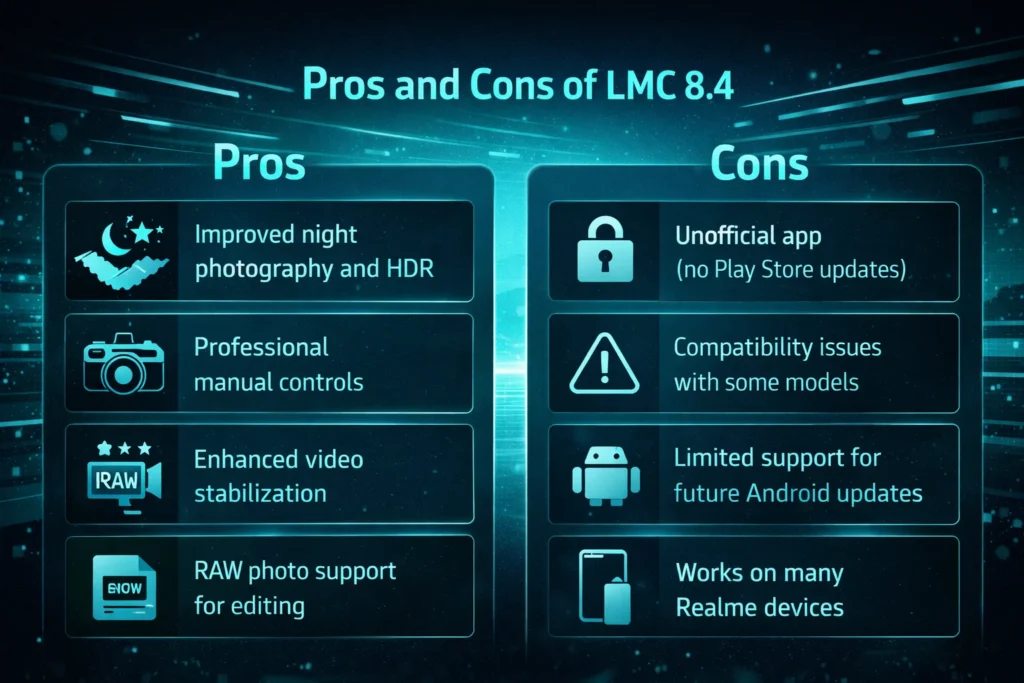
Pros and Cons of LMC 8.4
Pros
Cons
Conclusion
The LMC 8.4 Camera App is a game-changer for Realme users. It allows your phone to take professional-looking photos with ease. From night photography to astrophotography, portrait mode, and video stabilization, LMC 8.4 unlocks your phone’s full potential.
By following the installation guide and using the recommended settings, you can capture amazing images and videos. Always weigh the pros and cons, and download the APK from trusted sources for safe use.
Start using LMC 8.4 today and take your Realme photography to the next level!