Best Configs for Leica Mod Camera 8.4
Configuration files are small .XML files that are used in the LMC 8.4 APK download to automatically apply the best camera settings for your phone. These files are created by expert users or developers who test different settings like color, sharpness, focus, exposure, and noise control, and then save those settings into one file.
How to Apply These Configs?
You can follow these simple steps to apply these Configs:
Before applying any XML settings, make sure you have installed the latest version LMC 8.4 APK to ensure full compatibility.
Best Configs for Leica Mod LMC 8.4 APK Download
|
Config Name |
Best For Devices |
Key Features |
|---|---|---|
|
Leica Look Config |
Xiaomi, Poco, Realme, Samsung |
Leica-style colors, high contrast, warm tones |
|
Natural Balanced |
Redmi Note 10/11, Realme 8, Poco X3, Vivo phones |
Soft colors, true-to-life skin tone, even brightness |
|
Low Light Pro |
Older or budget phones (Redmi, Infinix, Tecno) |
Boosted Night Sight, reduced noise, long exposure |
|
Vibrant Sharp Detail |
Mi 11, Pixel, Realme GT, OnePlus 9 & 10 |
Punchy colors, extra clarity, fine texture details |
|
Lite Smooth Config |
Older phones with 3GB–4GB RAM |
Smooth performance, less lag, light processing |
|
Hasli Balanced XML |
Most Snapdragon phones |
Auto exposure, fine shadows, clean HDR+, no oversharpening |
|
Yuki Leica XML |
Realme, Xiaomi, and Snapdragon-based phones |
Deep contrast, red skin tone fix, minimal noise |
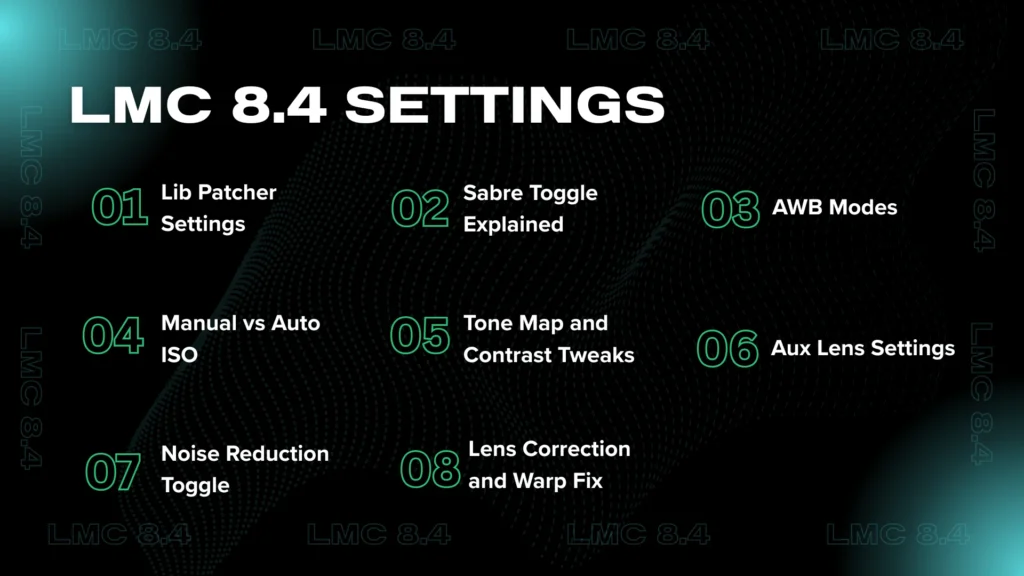
LMC 8.4 Settings (For Advanced Users)
If you have already explored the basics and want to unlock more camera power, then LMC 8.4 has a hidden area full of advanced features. These options give you fine control over image quality, lighting, lens behavior, and more.
Lib Patcher Settings:
Go to Settings > Developer Settings > Lib Patcher and adjust the sharpness, contrast, or noise sliders as needed.
Manual vs Auto ISO:
Go to Settings > Developer Settings > Manual Controls > Enable Manual ISO to control brightness manually.
Noise Reduction Toggle:
Go to Settings > Developer Settings > Lib Patcher > Noise Reduction Strength and set it to low, medium, or off.
Sabre Toggle Explained:
Go to Settings > Developer Settings > Processing > Enable Sabre Merge to improve HDR image clarity.
Tone Map and Contrast Tweaks:
Go to Settings > Developer Settings > Lib Patcher > Tone Mapping and adjust contrast or highlight shadow tone.
Lens Correction and Warp Fix:
Go to Settings > Developer Settings > Fixes > Enable Lens Distortion Correction to fix wide-angle bend.
AWB Modes:
Go to Settings > Advanced > White Balance > Choose Google AWB or Pixel AWB for better color balance.
Aux Lens Settings:
Go to Settings > Auxiliary Camera > Enable Auxiliary Lenses and activate wide, macro, or telephoto lenses.
For deeper customization and professional results, check out our complete guide on LMC 8.4 tips and tricks to unlock hidden features and advanced camera controls.
LMC 8.4 APK vs Other GCam Mods
|
Feature |
LMC 8.4 APK (Leica Mod) |
BSG GCam Mod |
Hasli GCam Mod |
|---|---|---|---|
|
UI Design |
Leica-inspired, clean but slightly complex |
Clean, stock Pixel-like |
Balanced UI with extra control |
|
Customization Options |
Moderate (Lib Patcher, ISO, AWB, etc.) |
Limited to essential settings |
Medium-High (less cluttered than Shamim) |
|
Image Quality (Daylight) |
Natural colors, Leica tone, smooth contrast |
Standard GCam colors, bright tone |
Smooth colors, reduced contrast |
|
Image Quality (Low Light) |
Excellent with configs, Night Sight + Tripod |
Good but sometimes noisy on some devices |
Strong low-light performance, clean shadows |
|
Auxiliary Lens Support |
Yes (wide, macro, telephoto – via config) |
Limited – depends on the phone |
Yes – requires config or phone support |
|
Astrophotography Mode |
Yes, stable & easy to trigger |
Yes, the standard Google version |
Yes, works well on most devices |
|
Manual Controls |
ISO, Focus, Exposure (in Developer Settings) |
Basic manual only |
Manual + simplified presets |
|
Best For |
Users who want a Leica-style finish |
Beginners, clean stock GCam experience |
Users focused on noise reduction and smoothness |
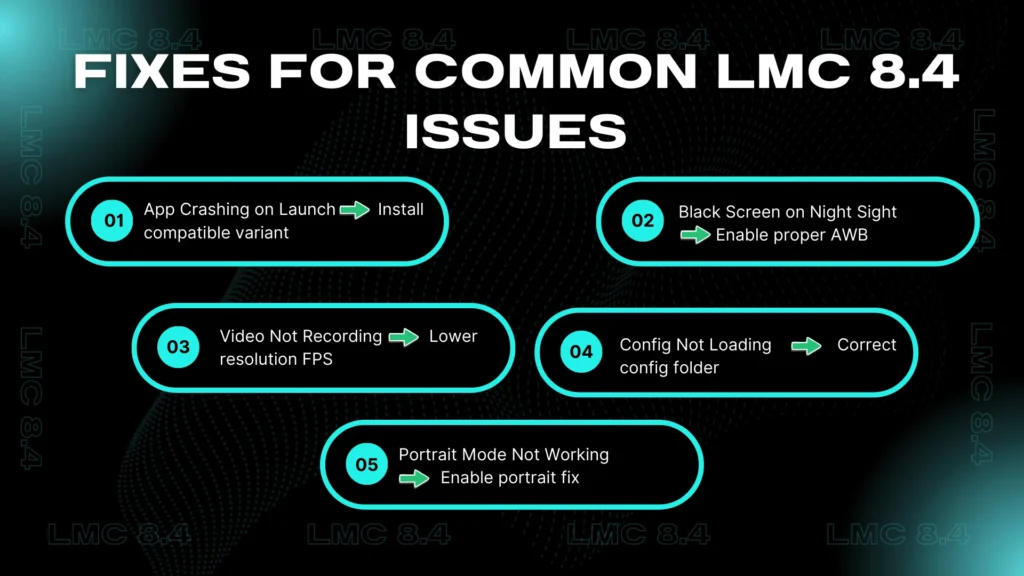
Fixes for Common LMC 8.4 Issues
If you have installed LMC 8.4 gcam apk but something is not working right, then do not worry. Many users face small bugs, and most of them are easy to fix with a few quick steps. Below, I will share some most common problems and their working solutions:
App Crashing on Launch
Why it happens: Your phone may not support the mod or you installed the wrong variant.
Fix:
Black Screen on Night Sight
Why it happens: Your phone’s sensor or Night Sight config is not supported.
Fix:
Video Not Recording
Why it happens: Incorrect resolution or frame rate settings
Fix:
Config Not Loading
Why it happens: Wrong folder path or XML file not in the correct location
Fix:
Portrait Mode Not Working
Why it happens: Some phones need a config or fix toggle
Fix:
Conclusion
LMC 8.4 Leica Mod is a powerful camera solution for users who want premium image quality without complicated manual work. With the right XML configs, this mod can completely change how your phone captures photos, delivering balanced colors, improved sharpness, better low-light results, and a distinct Leica-style finish.
Whether you use a flagship device or a budget phone, there is a config designed to match your hardware and shooting needs. By understanding how to apply configs, tweak advanced settings, and fix common issues, you can get stable performance and consistent results from LMC 8.4.
Overall, it stands out as an excellent choice for users who want more control, better processing, and a refined photography experience compared to standard camera apps.