
How to Download LMC 8.4 for OnePlus Phones (Complete Guide)
Smartphone cameras have become very powerful, but the camera app inside the phone sometimes does not use the full power of the camera hardware. Many OnePlus users face this issue. Even though OnePlus phones have strong camera sensors, the stock camera app sometimes does not deliver the best results in low light or portrait photography.
This is where LMC 8.4 becomes useful.
LMC 8.4 is a modified version of the Google Camera app that brings advanced photography features to Android phones. Many users install it to improve photo quality, capture better night shots, and get DSLR-like portrait images.
If you own a OnePlus device and want to improve your photography experience, this guide will show you how to download and install LMC 8.4 for OnePlus phones step by step. You can download the latest version of LMC 8.4 APK from here.
What is LMC 8.4 APK?
LMC 8.4 is a Google Camera Mod (GCAM) developed for Android smartphones. It is based on the camera technology used in Google Pixel devices. Developers modify the original Google Camera app so it can run on other phones like OnePlus, Samsung, Xiaomi, and Realme.
The main goal of this app is to improve the camera performance of Android phones through better image processing.
Unlike normal camera apps, LMC 8.4 uses advanced software algorithms that enhance image quality, brightness, and color accuracy.
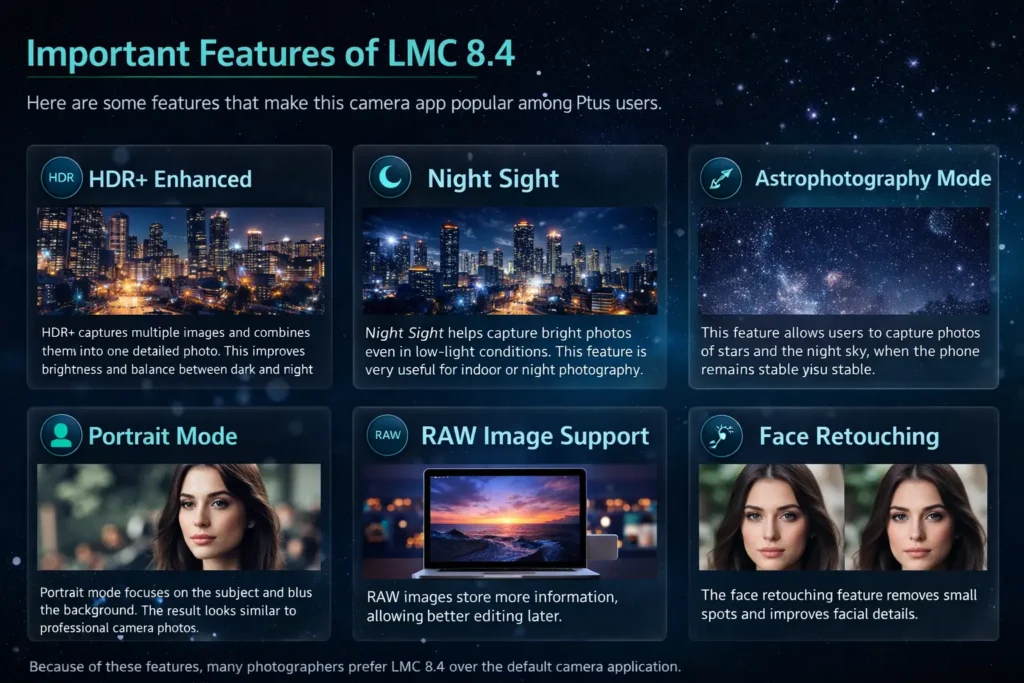
Important Features of LMC 8.4
Here are some features that make this camera app popular among OnePlus users.
HDR+ Enhanced
HDR+ captures multiple images and combines them into one detailed photo. This improves brightness and balance between dark and bright areas.
Night Sight
Night Sight helps capture bright photos even in low-light conditions. This feature is very useful for indoor or night photography.
Astrophotography Mode
This feature allows users to capture photos of stars and the night sky when the phone remains stable.
Portrait Mode
Portrait mode focuses on the subject and blurs the background. The result looks similar to professional camera photos.
RAW Image Support
RAW images store more information, allowing better editing later.
Face Retouching
The face retouching feature removes small spots and improves facial details.
Because of these features, many photographers prefer LMC 8.4 over the default camera application.
Why Download LMC 8.4 for OnePlus Phones?
OnePlus phones already come with good cameras, but the stock camera app sometimes has limited customization and weaker processing.
Installing LMC 8.4 helps unlock the full potential of the phone’s camera.
Better Low-Light Photography
Many stock camera apps struggle in low light. LMC 8.4 Night Sight produces brighter and clearer images.
Improved Color Accuracy
LMC 8.4 uses Google’s image processing technology, which produces more natural colors.
Professional Camera Controls
Users can adjust many camera settings such as:
Better Portrait Photos
The portrait mode creates a stronger background blur that looks more professional.
More Customization Options
Users can customize camera settings using config files.
Below is a simple comparison.
|
Feature |
OnePlus Stock Camera |
LMC 8.4 |
|---|---|---|
|
Night Photography |
Basic Night Mode |
Advanced Night Sight |
|
HDR Processing |
Standard |
HDR+ Enhanced |
|
Manual Controls |
Limited |
Advanced |
|
Customization |
Low |
High |
Because of these improvements, many OnePlus users prefer LMC 8.4 for photography.
System Requirements for LMC 8.4
Before downloading the application, make sure your device meets the minimum requirements.
|
Requirement |
Minimum |
|---|---|
|
Android Version |
Android 4.1 or higher |
|
Processor |
Dual Core 1.2 GHz |
|
RAM |
1 GB or more |
|
Storage Space |
200 MB |
Most modern OnePlus devices easily meet these requirements.
However, the app usually works best on phones running Android 10 or newer.
Supported OnePlus Devices
LMC 8.4 works with many OnePlus smartphones. Some versions are optimized for specific models.
Here are some popular compatible devices.
OnePlus Flagship Devices
OnePlus Nord Series
Other Supported Devices
Even if your exact model is not listed, LMC 8.4 may still work if the hardware specifications are similar.
Steps to Download LMC 8.4 for OnePlus Phones
Downloading LMC 8.4 is simple, but you must follow the steps carefully.
Step 1 – Download the APK File
First, download the LMC 8.4 APK file from a trusted website.
Choose the version designed for OnePlus devices.
Avoid downloading from unknown sources to reduce security risks.
Step 2 – Enable Unknown Sources
Android phones block apps that are not downloaded from the Play Store.
To install the APK file, enable installation from unknown sources.
Follow these steps:
- Open Settings
- Go to Security
- Enable Unknown Sources
This allows your phone to install third-party apps.
Step 3 – Install the APK File
After downloading the file:
- Open File Manager
- Find the downloaded APK file
- Tap on the file
- Press Install
The installation process will take a few seconds.
Step 4 – Grant App Permissions
When you open the app for the first time, it will request some permissions.
Allow the following permissions:
These permissions allow the camera app to work correctly.
Step 5 – Open the LMC 8.4 Camera App
Once installation is complete, open the application and start exploring the features.
You can now capture photos using advanced camera modes like HDR+ and Night Sight.
How to Install LMC 8.4 Config Files?
Config files are very useful for improving camera performance. These files contain optimized settings for specific devices.
Using the correct config file can improve photo quality and reduce app crashes.
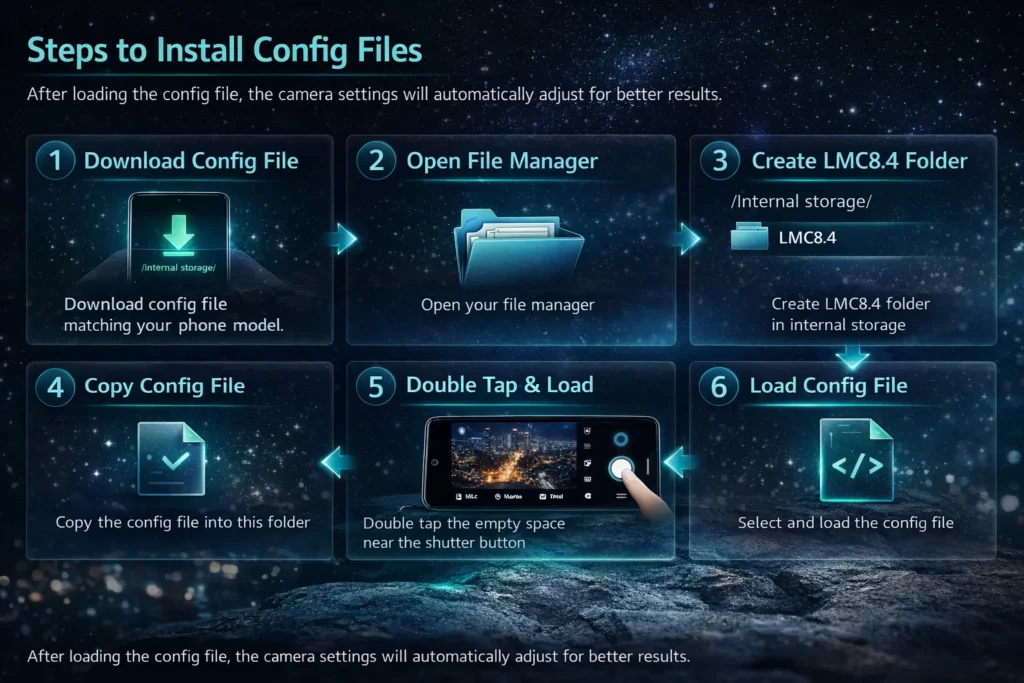
Steps to Install Config Files
- Download the config file that matches your phone model.
- Open your file manager.
- Create a folder named LMC8.4 in internal storage.
- Copy the config file into this folder.
- Open the LMC 8.4 camera app.
- Double tap the empty space near the shutter button.
- Select and load the config file.
After loading the config file, the camera settings will automatically adjust for better results. You can also go through our guide on Best Configs for LMC 8.4 to learn about all the configs to get stable performance and consistent results.
Best LMC 8.4 Settings for OnePlus Phones
The default settings of LMC 8.4 already produce good photos, but adjusting a few options can improve results.
Below are some recommended settings.
|
Setting |
Recommended Value |
|---|---|
|
HDR Mode |
HDR+ Enhanced |
|
Auto White Balance |
Pixel 5 |
|
Noise Reduction |
Enabled |
|
Sharpness |
Low |
|
Saturation |
Medium |
These settings help produce natural colors and clear images.
Common Problems and Fixes
Some users may experience issues while using LMC 8.4. Most problems are easy to fix.
App Crashing
The camera may crash while switching modes.
Solution
Camera Not Opening
Sometimes the camera app does not start.
Solution
APK Not Installing
If the app fails to install:
Solution
Following these fixes usually solves most issues.
How Night Sight Works in LMC 8.4?
Night Sight is one of the most popular features of LMC 8.4. Normal camera apps capture a single image, which often looks dark in low light. Night Sight works differently.
The camera captures multiple images with longer exposure and combines them together. This process increases brightness and reduces noise. Because of this technology, Night Sight produces clear photos even in dark environments. For best results, keep your phone stable while using Night Sight mode.
Tips to Capture Better Photos with LMC 8.4
If you want the best results, follow these simple photography tips.
Check out these photography tips and tricks on how you can achieve best results using LMC 8.4 APK.
Conclusion
LMC 8.4 is one of the best camera mods available for Android smartphones. It brings powerful Google Pixel camera technology to devices like OnePlus. With features like HDR+ Enhanced, Night Sight, Portrait Mode, and Astrophotography, this app helps users capture high-quality photos and videos.
The installation process is simple. You only need to download the APK file, enable unknown sources, install the app, and load a config file for better performance. If you enjoy mobile photography and want to get the most out of your OnePlus camera, installing LMC 8.4 is definitely worth trying.